








New version of InfraCAD Map focuses on KLIC-WIN
KLIC-WIN is a programme run by the Kadaster to modernise the exchange of cable and pipeline information and prepare it for the future. In January, CAD Accent launched InfraCAD Map 6.8. The release is entirely focused on KLIC-WIN. InfraCAD Map 6.8 includes a completely new module for importing KLIC-WIN notifications into AutoCAD. This article takes a closer look at how it works.
From raster to vector
The main change is that the new Klic notifications are based on vector data (GML). This means higher quality, faster processing and more information. InfraCAD Map is designed to import geospatial information (GML data), such as BGT and cadastral maps, into AutoCAD, and includes a powerful GML engine for this purpose. For this reason, a completely new KLIC module has been developed in InfraCAD Map. This means that the existing KLIC module in InfraCAD, which is based on raster information, will eventually be phased out.
The KLIC module immediately shows which Klic notifications contain points requiring attention or a Precautionary Measure Requirement (Eis Voorzorgsmaatregelen, EV). For each Klic notification, users can see which network operators and themes it covers, and where the Precautionary Measure Requirements apply. All attachments are grouped under the second tab and can be opened directly. The ‘Extended’ tab provides all the information in the Klic notification in a clear tree structure.
KLIC-WIN and INSPIRE
KLIC-WIN represents a huge improvement in data quality. The days of translating cable routes, ducts and symbols from groups of pixels into a ‘tangle of lines’ are over. Cables now run neatly in parallel, ducts are clean polylines and symbols are genuine AutoCAD Blocks.
Thanks to the European INSPIRE Directive, the new Klic notifications contain a great deal of additional information about cables and pipelines, such as diameter, pipe type, voltage or pressure. InfraCAD Map makes this information immediately available via a tooltip, as shown in the example below.
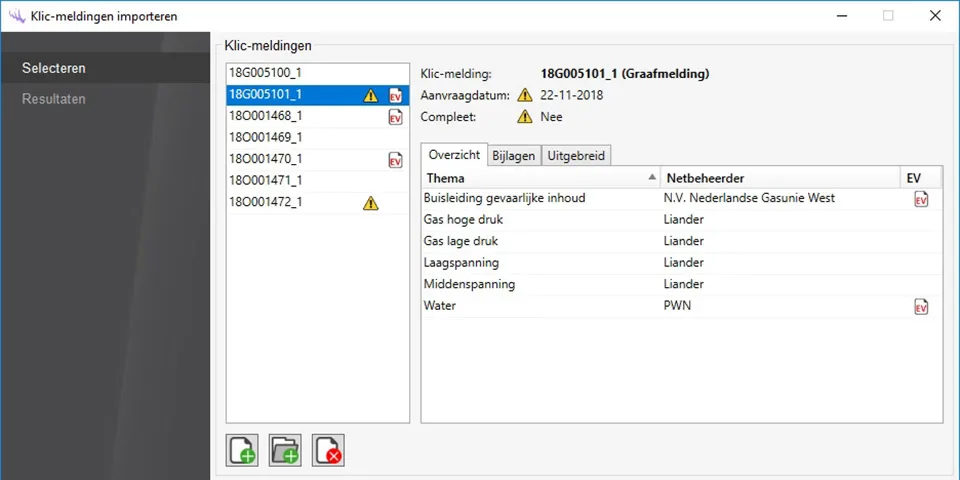
The information in a Klic notification is presented clearly.
Processing Klic notifications in batches in accordance with NLCS
If you have received several Klic notifications, for example following a route notification, you can process them all at once. Because the new vector data places far less demand on computer memory, KLIC-WIN also makes it possible to process multiple Klic notifications in batches.
Klic notifications imported individually or in batches result in a drawing built entirely in accordance with NLCS. Klic notification numbers are no longer included in layer names, keeping the number of layers limited and the drawing clear.
Example of additional information for a gas pipeline.
Precautionary Measure Requirement
Where a Precautionary Measure Requirement applies, it is shown as a hatched area in the drawing. Relevant information is also linked to this area and can be accessed directly from the drawing. The process is simple and intuitive.
Topographic base map
The new Klic notifications include a raster extract of the BGT for orientation. InfraCAD Map can be configured to place this in AutoCAD during import or not. If you also want the topographic base map as vector data in your drawing, InfraCAD Map can import it from PDOK. Options include the BGT, the cadastral map and the TOP10 vector dataset. It is also possible to import an aerial photograph (2018).
Precautionary Measure Requirements can be viewed directly in the drawing.
Google Earth
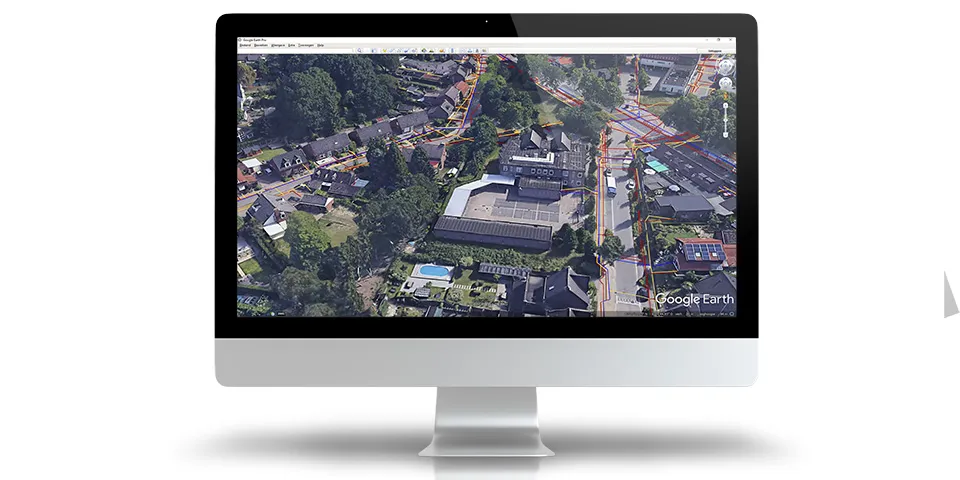
Finally, the KLIC module in InfraCAD Map can export cable and pipeline information to Google Earth.
Question about this story? Ask your question
Keep following this
Get an email when a new story is published. No account needed.
- SubjectBouwMat